

1. Prerequisites
(1) Obtain an API Key
Register and log in to Myrouter. Enter invitation code [YGHNZ0] during registration to receive a $2 sign-up bonus.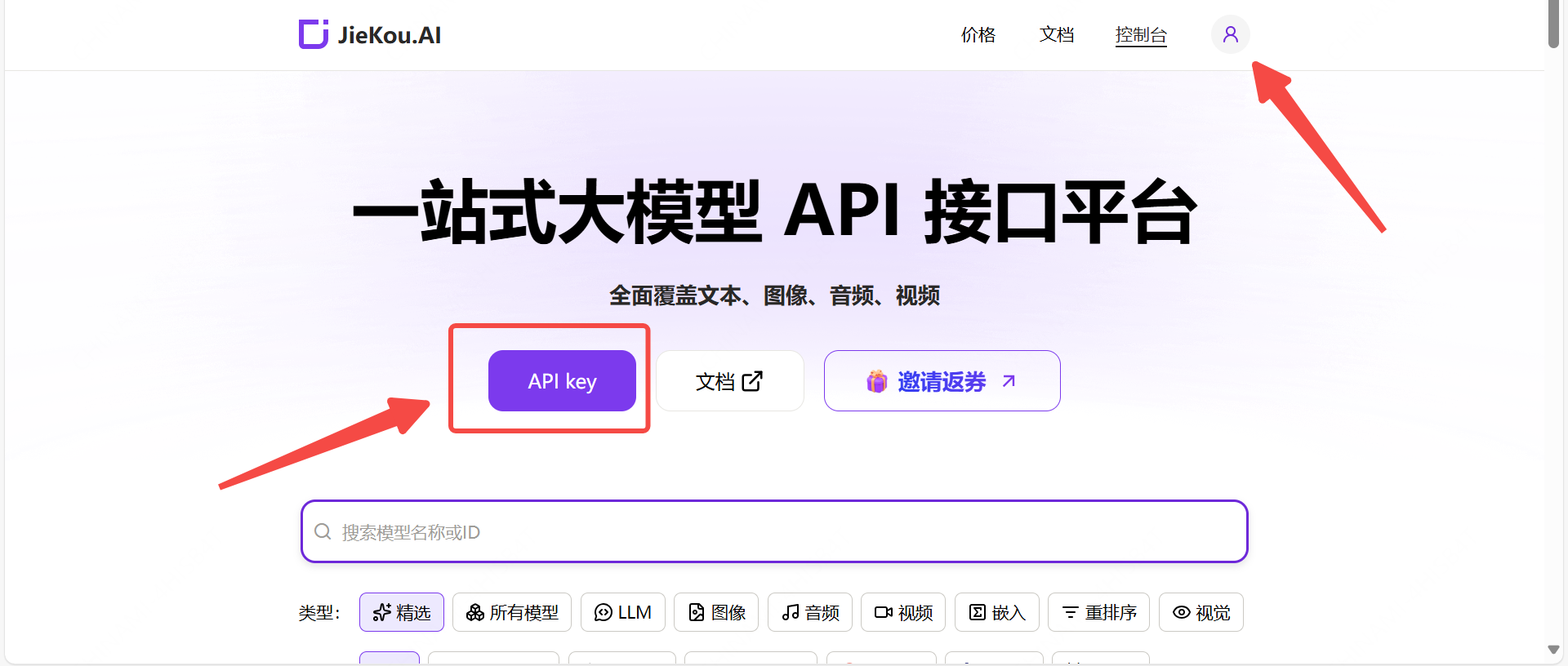
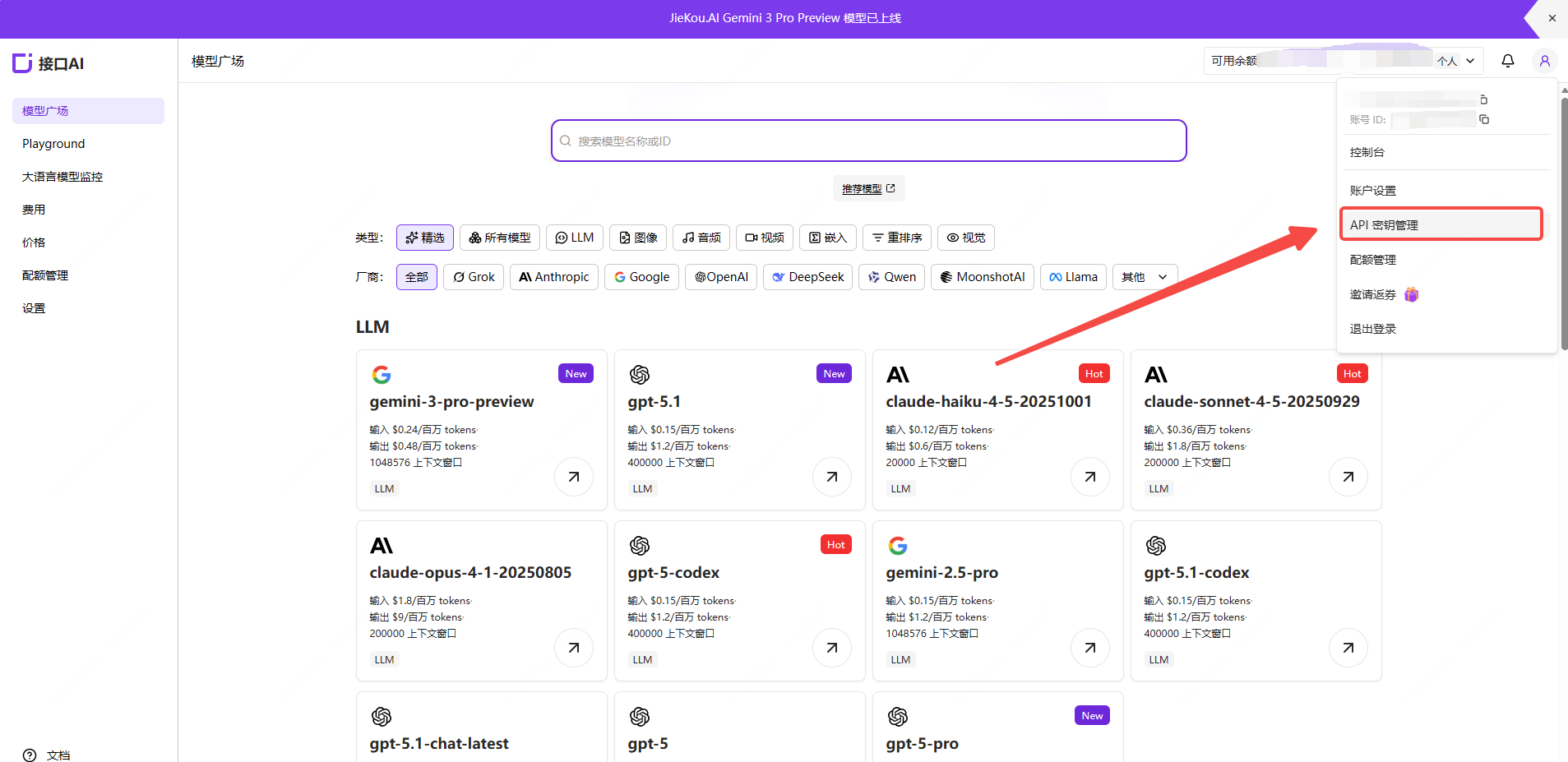
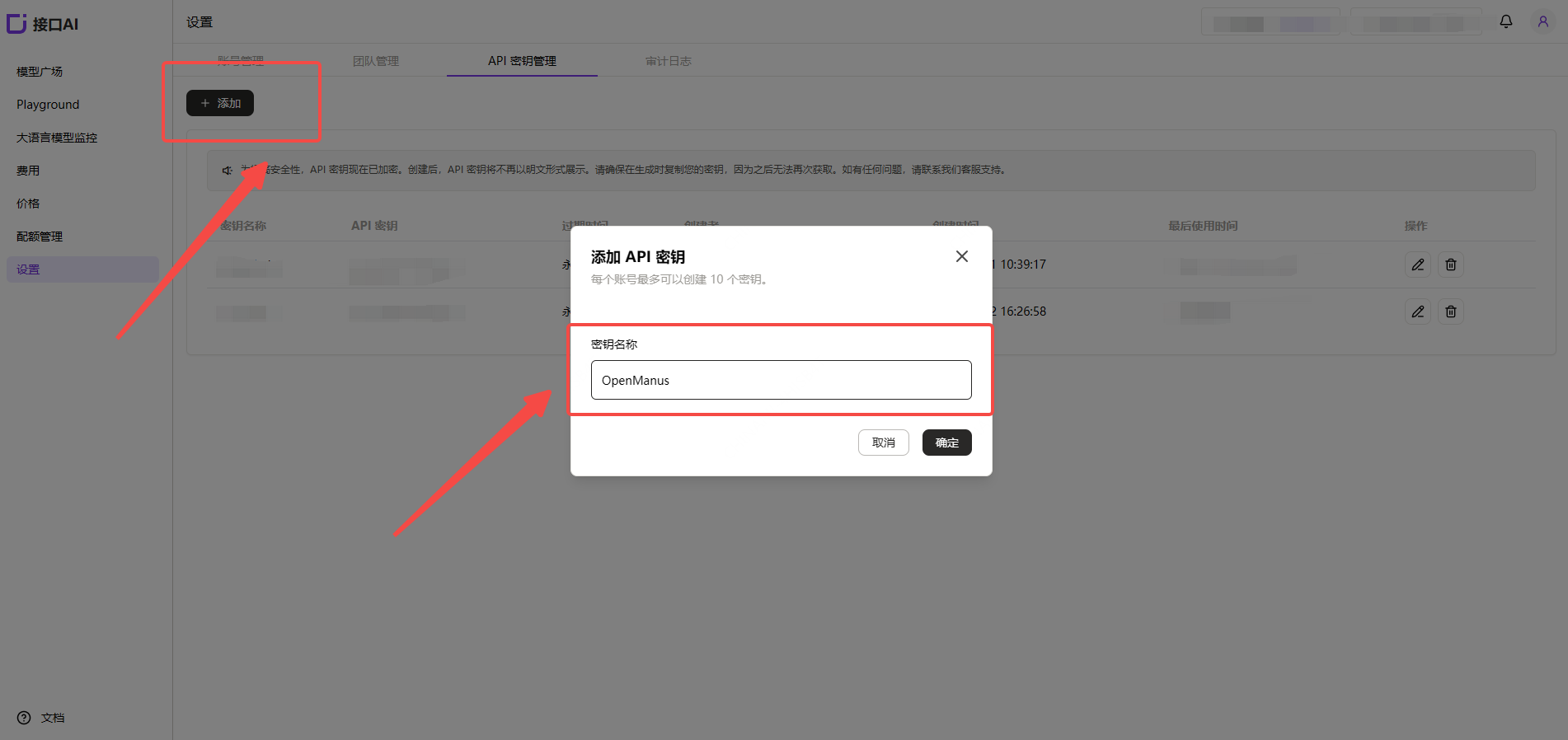
(2) Generate and Save the API Key
Note: The key is stored encrypted on the server and cannot be viewed again after creation. Please save your key securely. If lost, you will need to delete it from the console and create a new one.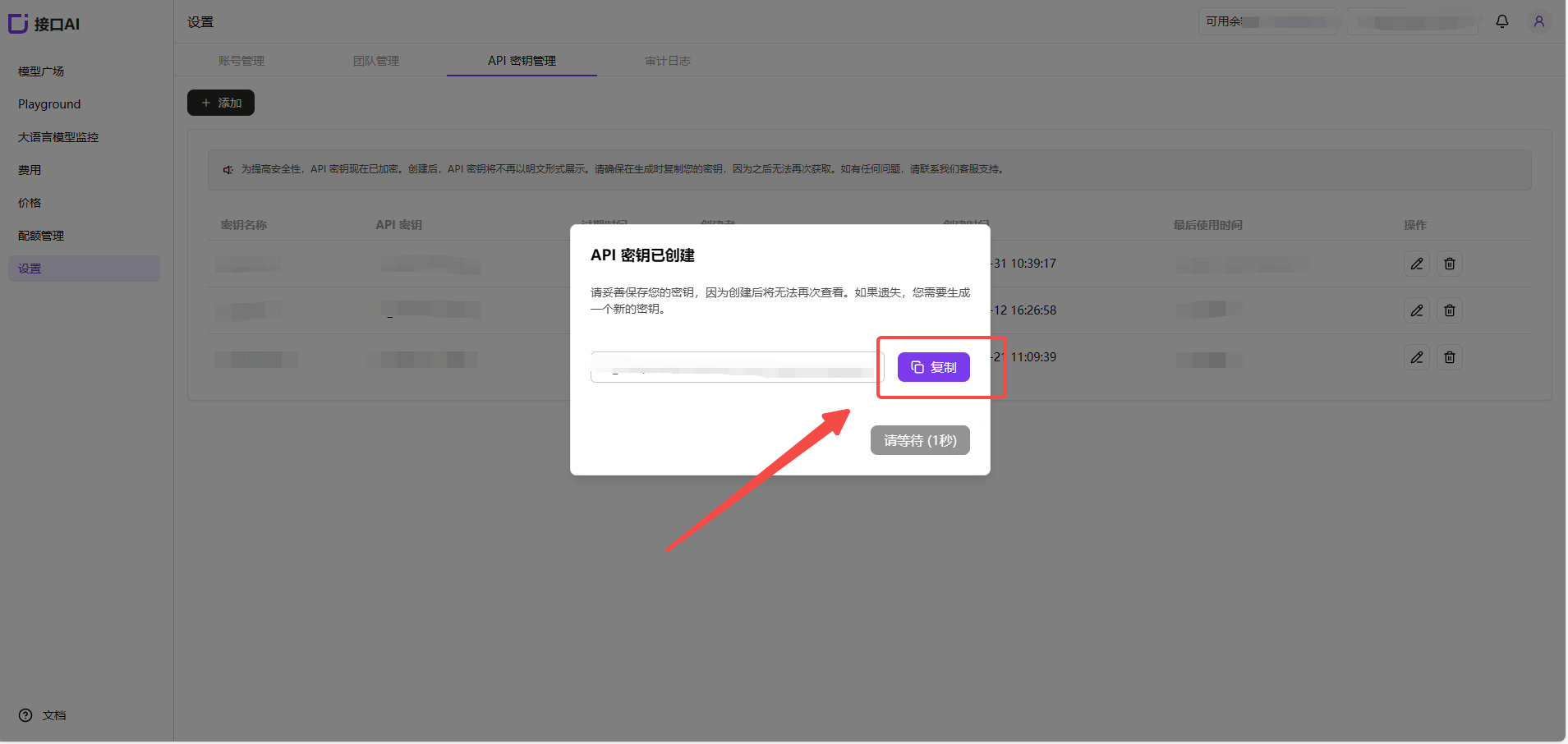
(3) Obtain the Model ID You Want to Use
Find the desired model in the Myrouter Model Hub and copy the model ID and base URL.- Gemini-3-pro-preview
- Gemini-2.5-pro
- Claude-sonnet-4-5
- Gpt-5.1
- Gpt-4o
2. Install OpenManus
For detailed installation instructions, refer to the Installation Guide. The following installation tutorial uses Windows as an example, following “Method 2” from the installation guide.- Install uv (a fast Python package manager):
- Clone the repository:
- Create and activate a virtual environment:
- Install dependencies:
3. Configure OpenManus
OpenManus requires configuring the LLM API to use. Follow these steps:- Create a
config.tomlfile in theconfigdirectory (you can copy from the example):
- Edit
config/config.toml, change [model], [base_url], and [api_key], and add your API key and custom settings:
4. Quick Start OpenManus
Run OpenManus with a single command:enter your prompt!