Key Features of Chatbox
- Open-Source Framework Chatbox is a fully open-source project with auditable code. You can customize and extend it to meet your specific needs.
- Multi-Model Support By default, it supports OpenAI’s official GPT series models, while also providing open API configuration to connect to other compatible models, flexibly meeting different scenario requirements.
- Rich Feature Scenarios
- Build intelligent chatbots
- AI content generation (e.g., copywriting, code generation)
- Enterprise knowledge management dialogue assistant
- Customer service FAQ
- Multi-language translation and conversation support
- Cross-Platform Support Both client and server can be flexibly deployed, supporting browser-based operation as well as local deployment, with strong compatibility.
Why Choose Myrouter for Chatbox Integration?
- Unified Standard API myrouter.ai is fully compatible with the official OpenAI API format. No need to rewrite code — simply replace the API address to complete a quick migration.
- Multi-Model Support In addition to the GPT series models, it also supports various other open-source and proprietary models such as Chinese large models, meeting a wider range of business scenario needs.
- Cost-Effective Offers flexible billing models to help enterprises reduce operational costs related to intelligent conversations.
- Stable and Reliable Stable technical architecture and service support ensure a highly available model invocation experience.
- Obtain an API Key
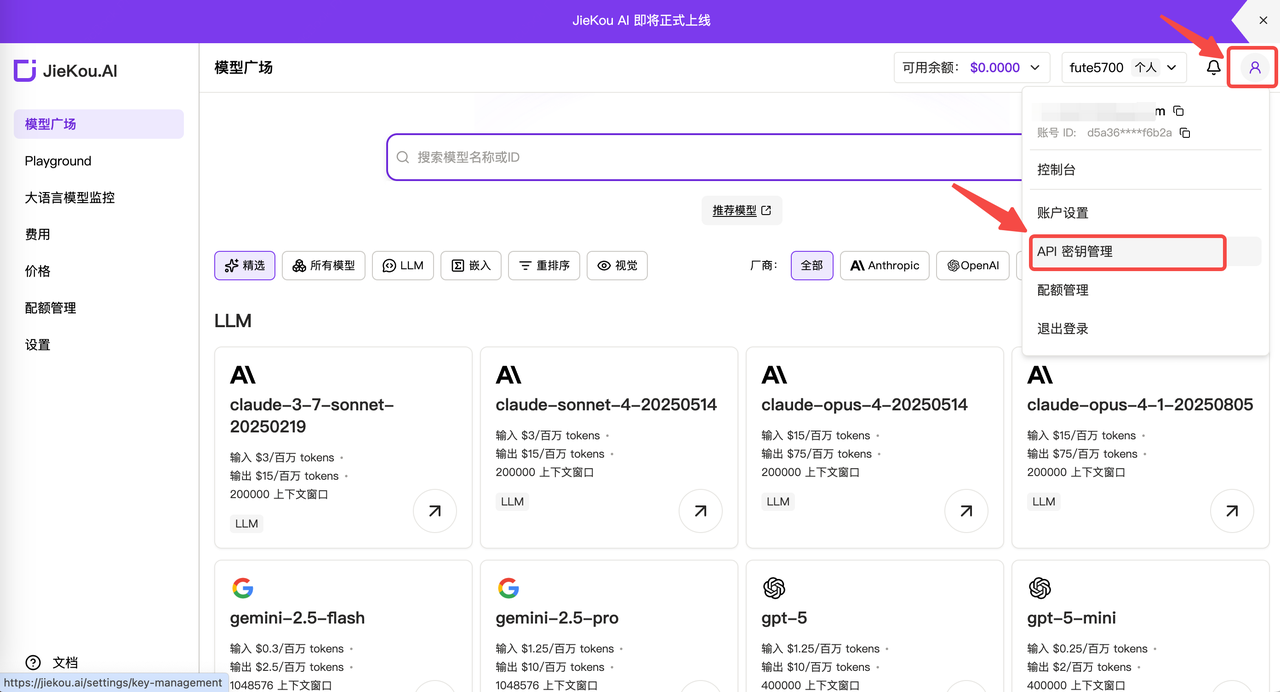
- Log in to the myrouter.ai website, register and go to the management dashboard. Click “My Account” in the top right corner, and select “API Key Management” from the dropdown menu.
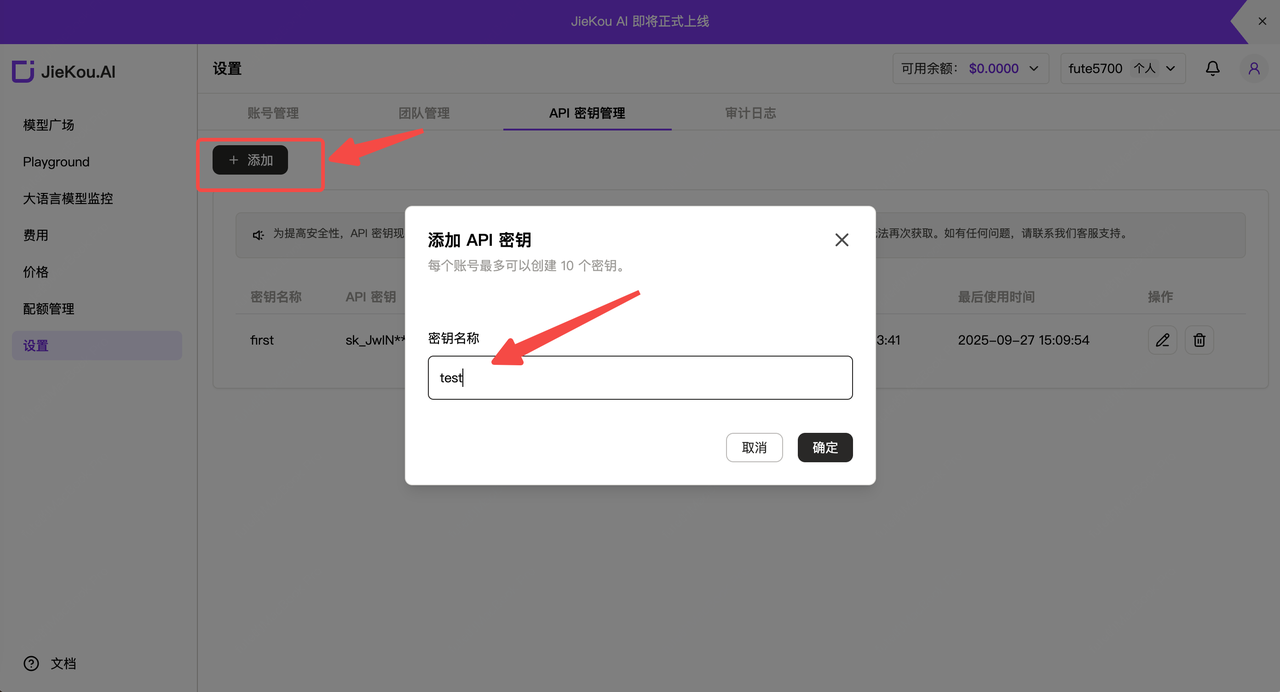
- Click “Add”, and enter a key name.
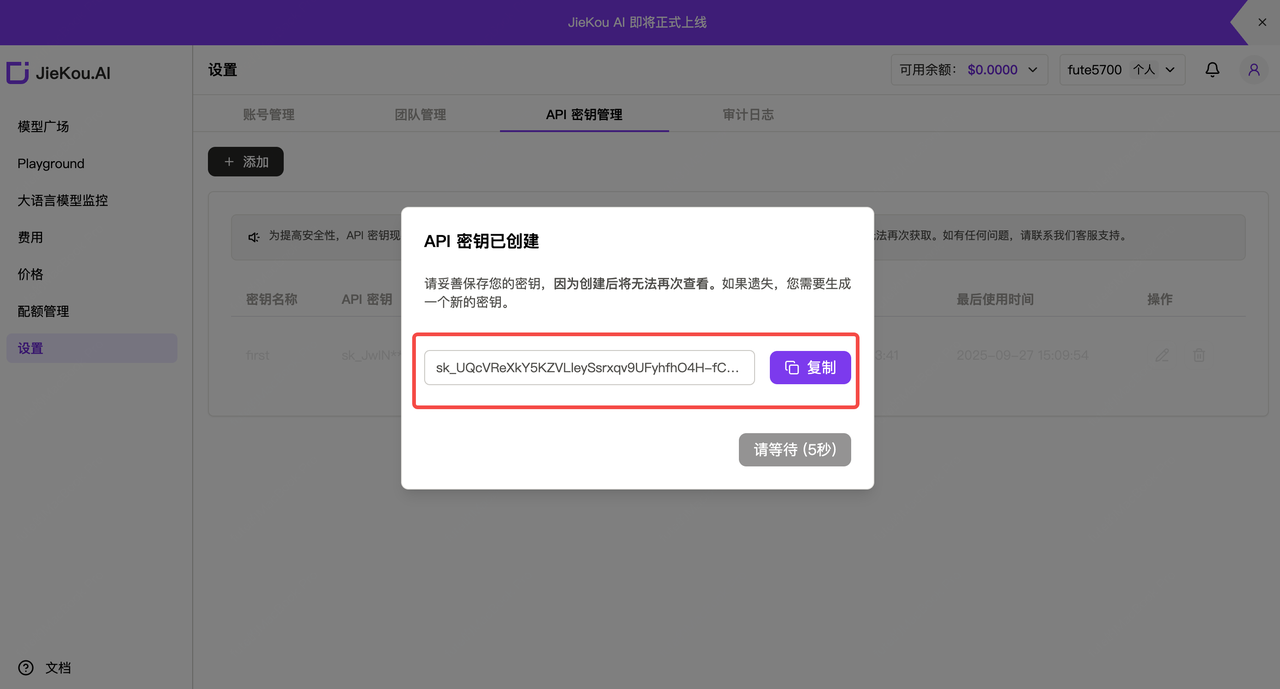
- Click copy and save the generated Key (it cannot be viewed again in the console). Use it in the subsequent configuration.
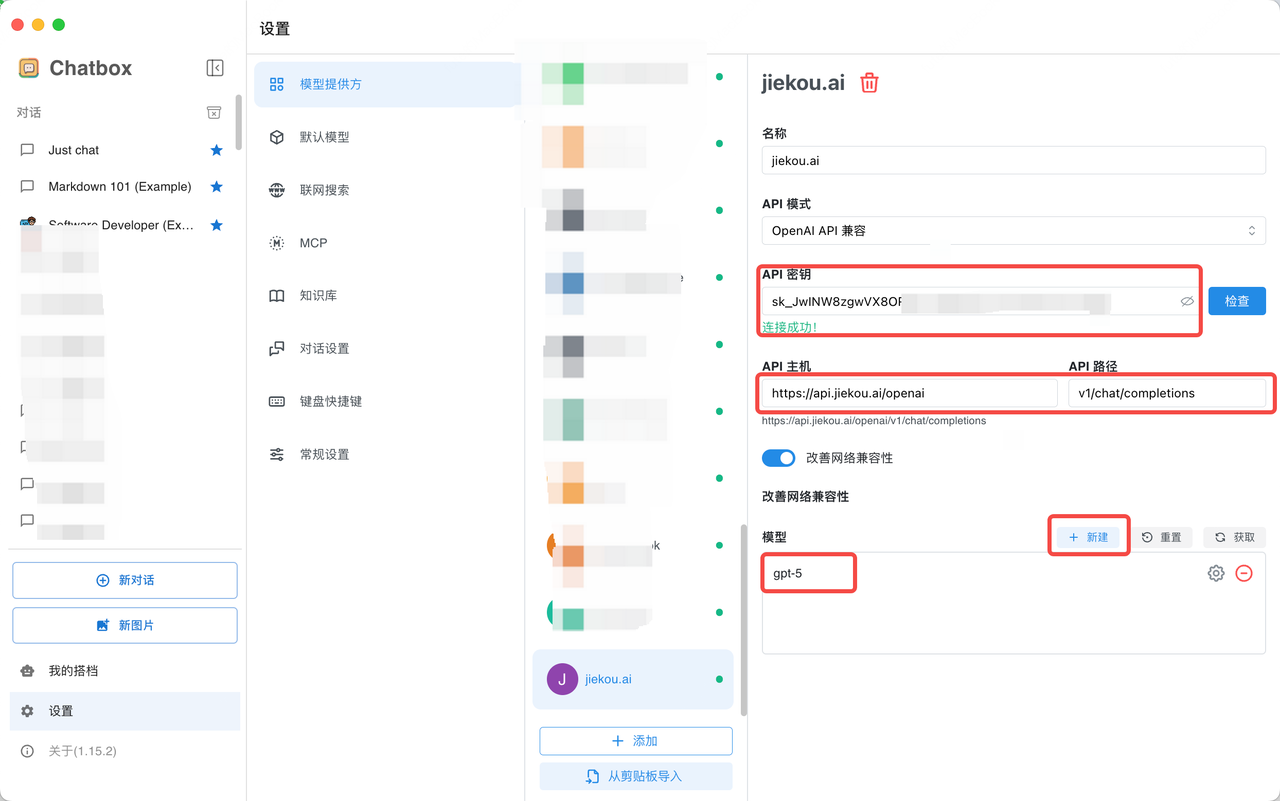
- Configure as shown below to achieve seamless integration between Chatbox and Myrouter.