> ## Documentation Index
> Fetch the complete documentation index at: https://docs.myrouter.ai/llms.txt
> Use this file to discover all available pages before exploring further.
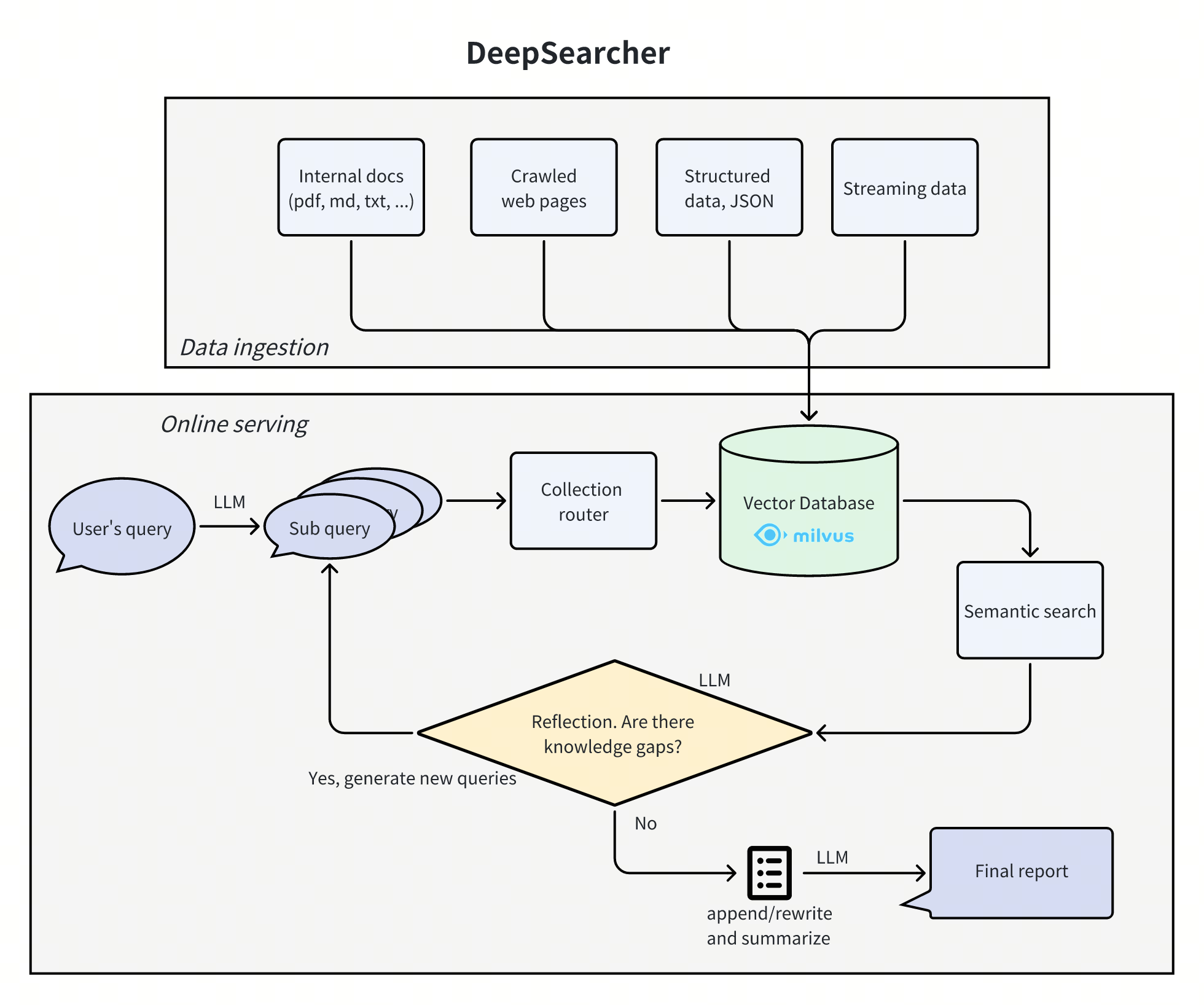
# DeepSearcher
DeepSearcher combines cutting-edge LLMs (OpenAI o1, o3-mini, DeepSeek, Grok 3, Claude 4 Sonnet, Llama 4, QwQ, etc.) with vector databases (Milvus, Zilliz Cloud, etc.) to perform search, evaluation, and reasoning on private data, delivering highly accurate answers and comprehensive reports.
**Ideal for:** Enterprise knowledge management, intelligent Q\&A systems, and information retrieval scenarios.
 ## 1. Obtain Myrouter Configuration Information
### (1) Obtain an API Key
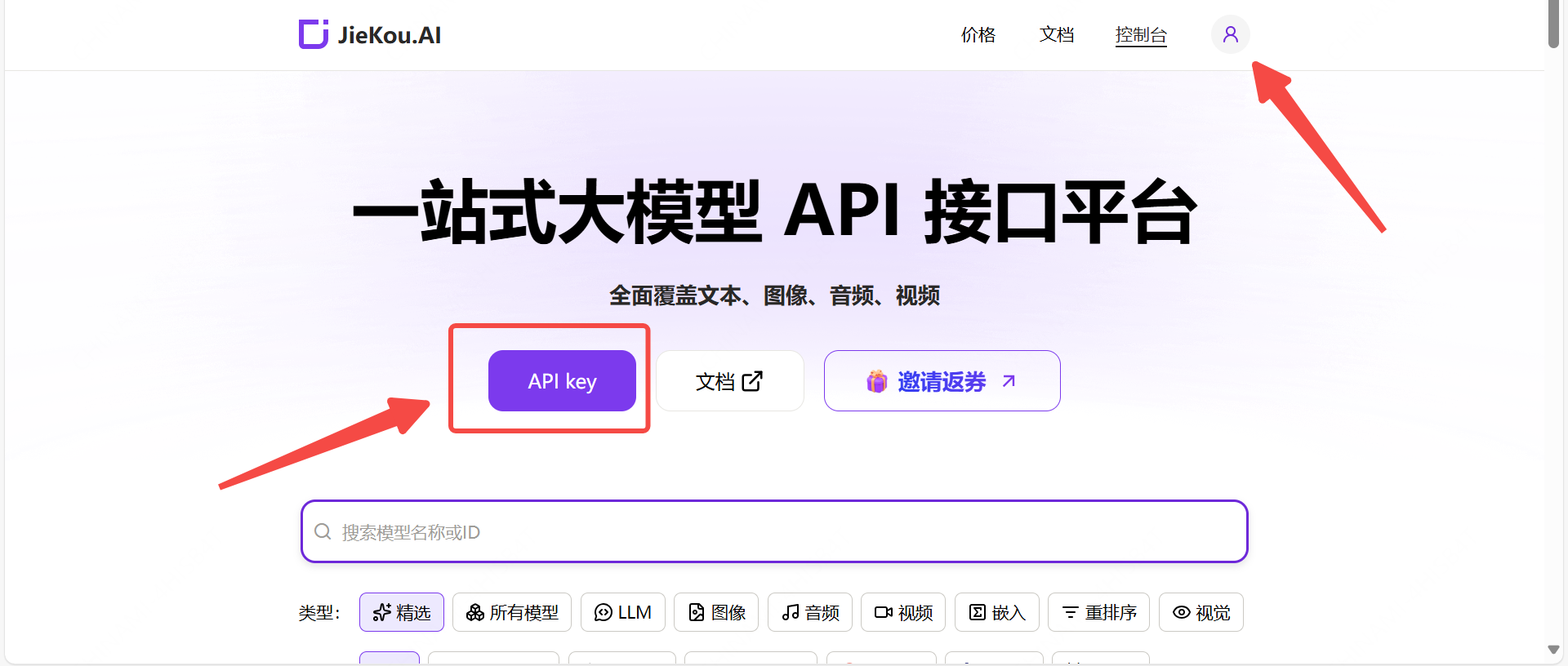
Register and log in to Myrouter. Enter invitation code \[YGHNZ0] during registration to receive a \$2 sign-up bonus.
## 1. Obtain Myrouter Configuration Information
### (1) Obtain an API Key
Register and log in to Myrouter. Enter invitation code \[YGHNZ0] during registration to receive a \$2 sign-up bonus.
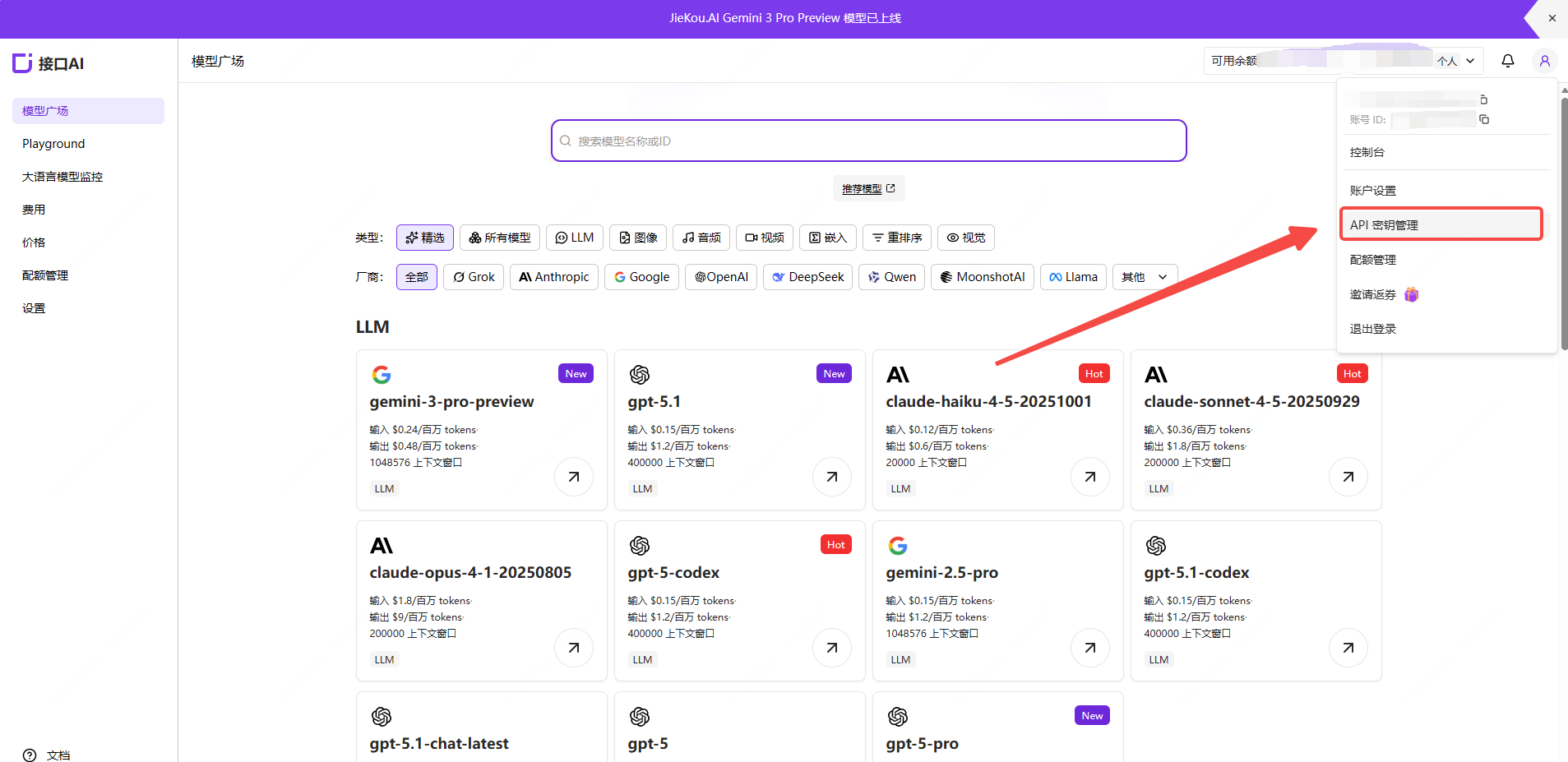
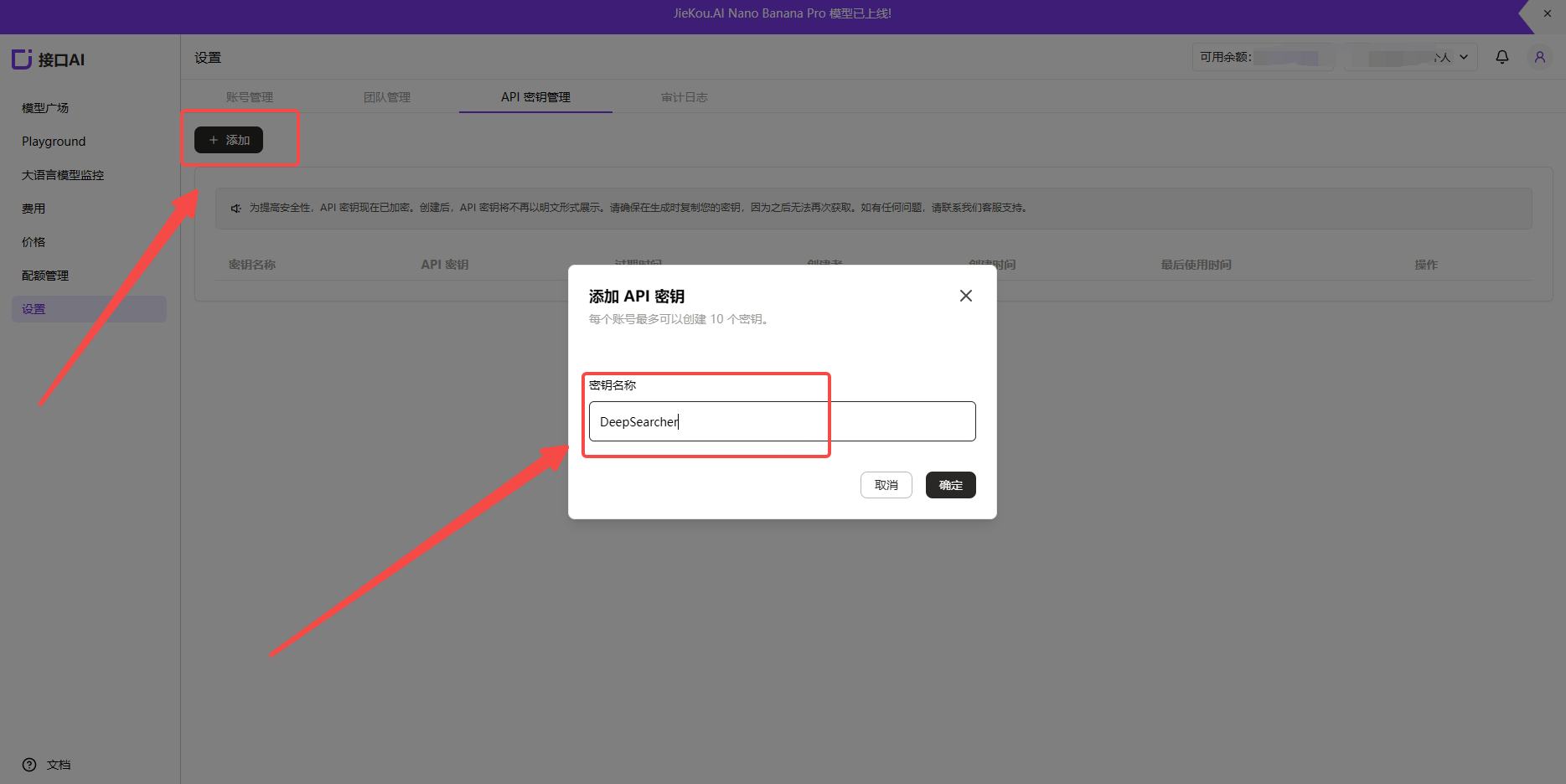
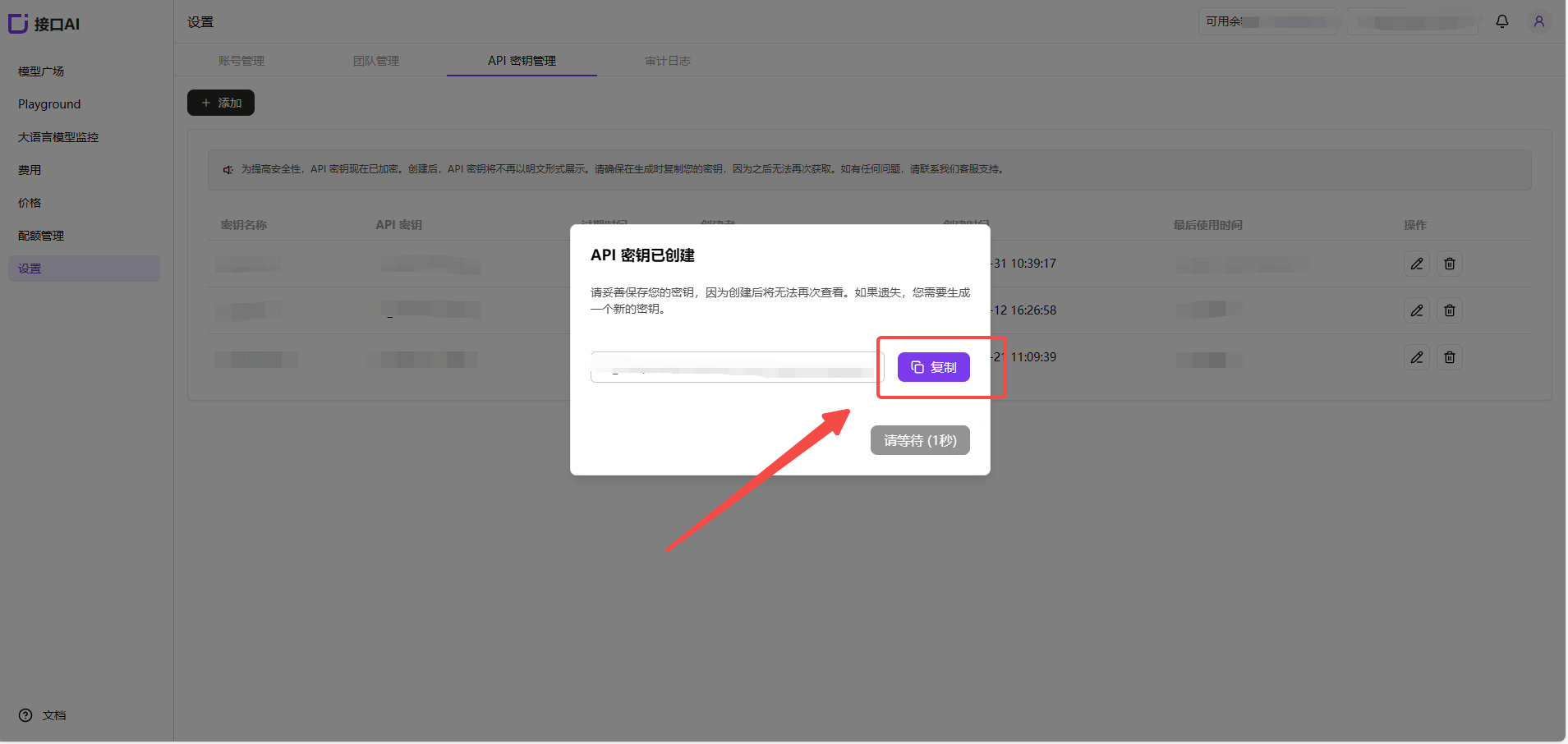
 Open the \[API Key] management page, click the Add button, enter a custom key name, and generate an API key.
 ### (2) Generate and Save the API Key
Note: The key is stored encrypted on the server and cannot be viewed again after creation. Please save your key securely. If lost, you will need to delete it from the console and create a new one.
### (2) Generate and Save the API Key
Note: The key is stored encrypted on the server and cannot be viewed again after creation. Please save your key securely. If lost, you will need to delete it from the console and create a new one.
 ### (3) Obtain the Model ID You Want to Use
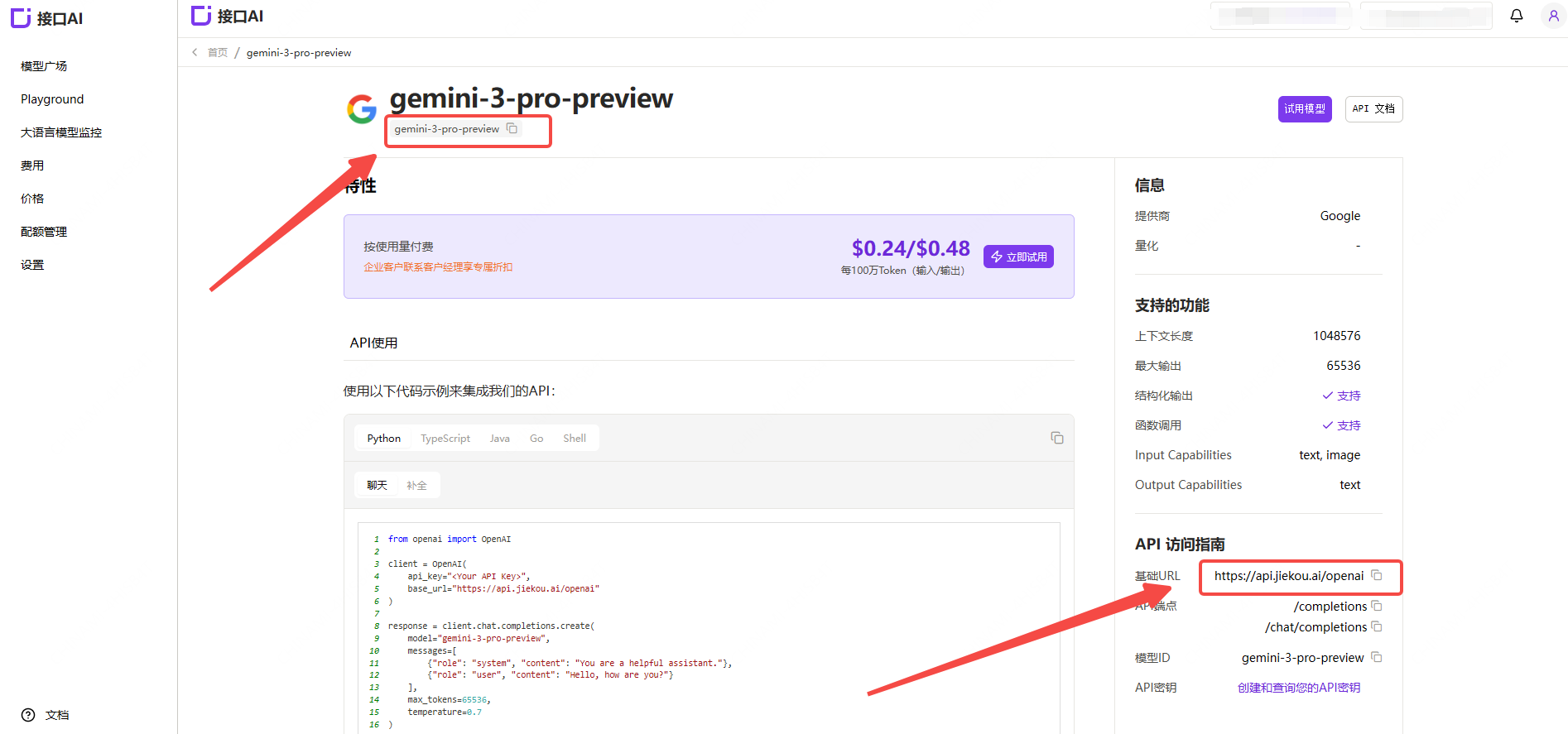
Find the desired model in the Myrouter Model Hub and copy the model ID and base URL.
### (3) Obtain the Model ID You Want to Use
Find the desired model in the Myrouter Model Hub and copy the model ID and base URL.
 * Gemini-3-pro-preview
* Gemini-2.5-pro
* Claude-sonnet-4-5
* Gpt-5.1
* Gpt-4o
For other model IDs, maximum context lengths, and pricing, refer to the [Model Hub](https://myrouter.ai/models-console/library?auth_res=success\&is_reg=false).
## 2. Install DeepSearcher
For detailed installation instructions, refer to: [https://github.com/zilliztech/deep-searcher](https://github.com/zilliztech/deep-searcher)
(1) Clone the repository
```
git clone https://github.com/zilliztech/deep-searcher.git
cd deep-searcher
```
(2) Create a virtual environment and activate it
```
#MAKE SURE the python version is greater than or equal to 3.10
python3 -m venv .venv
source .venv/bin/activate
```
(3) Install dependencies
```
pip install -e .
```
## 3. Modify the Example Code to Connect to Myrouter Models
The example code is located at `examples/basic_example.py`. You can use this example to run DeepSearcher.
(1) Configure the API Key
Set the API Key you just obtained as a local environment variable `MYROUTER_API_KEY`.
```
export MYROUTER_API_KEY="Your Myrouter API Key"
```
(2) Configure the LLM and Embedding Models
Add the following code after the `config = Configuration()` line in the example code:
```
config.set_provider_config("llm", "JiekouAI", {"model": "claude-sonnet-4-5-20250929"})
config.set_provider_config("embedding", "JiekouAIEmbedding", {"model": "qwen/qwen3-embedding-8b"})
```
(3) Configure the file paths and prompt for retrieval
Load files from a specified local path and store their contents in a collection. Modify the code where `load_from_local_files` is called. You can use the project-provided `examples/data/WhatisMilvus.pdf` file or your own files. To delete and recreate the collection each time, set `force_new_collection` to `True`.
```
load_from_local_files(
paths_or_directory=os.path.join(current_dir, "data/WhatisMilvus.pdf"),
collection_name="milvus_docs",
collection_description="All Milvus Documents",
force_new_collection=True, # If you want to drop origin collection and create a new collection every time,set force_new_collection to True
)
question="Write a report comparing Milvus with other vector databases."
```
(4) Run the example code from the project root directory:
```
python examples/basic_example.py
```
* Gemini-3-pro-preview
* Gemini-2.5-pro
* Claude-sonnet-4-5
* Gpt-5.1
* Gpt-4o
For other model IDs, maximum context lengths, and pricing, refer to the [Model Hub](https://myrouter.ai/models-console/library?auth_res=success\&is_reg=false).
## 2. Install DeepSearcher
For detailed installation instructions, refer to: [https://github.com/zilliztech/deep-searcher](https://github.com/zilliztech/deep-searcher)
(1) Clone the repository
```
git clone https://github.com/zilliztech/deep-searcher.git
cd deep-searcher
```
(2) Create a virtual environment and activate it
```
#MAKE SURE the python version is greater than or equal to 3.10
python3 -m venv .venv
source .venv/bin/activate
```
(3) Install dependencies
```
pip install -e .
```
## 3. Modify the Example Code to Connect to Myrouter Models
The example code is located at `examples/basic_example.py`. You can use this example to run DeepSearcher.
(1) Configure the API Key
Set the API Key you just obtained as a local environment variable `MYROUTER_API_KEY`.
```
export MYROUTER_API_KEY="Your Myrouter API Key"
```
(2) Configure the LLM and Embedding Models
Add the following code after the `config = Configuration()` line in the example code:
```
config.set_provider_config("llm", "JiekouAI", {"model": "claude-sonnet-4-5-20250929"})
config.set_provider_config("embedding", "JiekouAIEmbedding", {"model": "qwen/qwen3-embedding-8b"})
```
(3) Configure the file paths and prompt for retrieval
Load files from a specified local path and store their contents in a collection. Modify the code where `load_from_local_files` is called. You can use the project-provided `examples/data/WhatisMilvus.pdf` file or your own files. To delete and recreate the collection each time, set `force_new_collection` to `True`.
```
load_from_local_files(
paths_or_directory=os.path.join(current_dir, "data/WhatisMilvus.pdf"),
collection_name="milvus_docs",
collection_description="All Milvus Documents",
force_new_collection=True, # If you want to drop origin collection and create a new collection every time,set force_new_collection to True
)
question="Write a report comparing Milvus with other vector databases."
```
(4) Run the example code from the project root directory:
```
python examples/basic_example.py
```